A Simpler Way to Work With Multiple Shopify Stores
If you’ve ever worked on more than a handful of Shopify stores, you’ve probably run into a surprisingly frustrating problem: remembering store handles. At first, it’s manageable. You might have one or two stores committed to memory. But once you’re working across five, ten, or tw
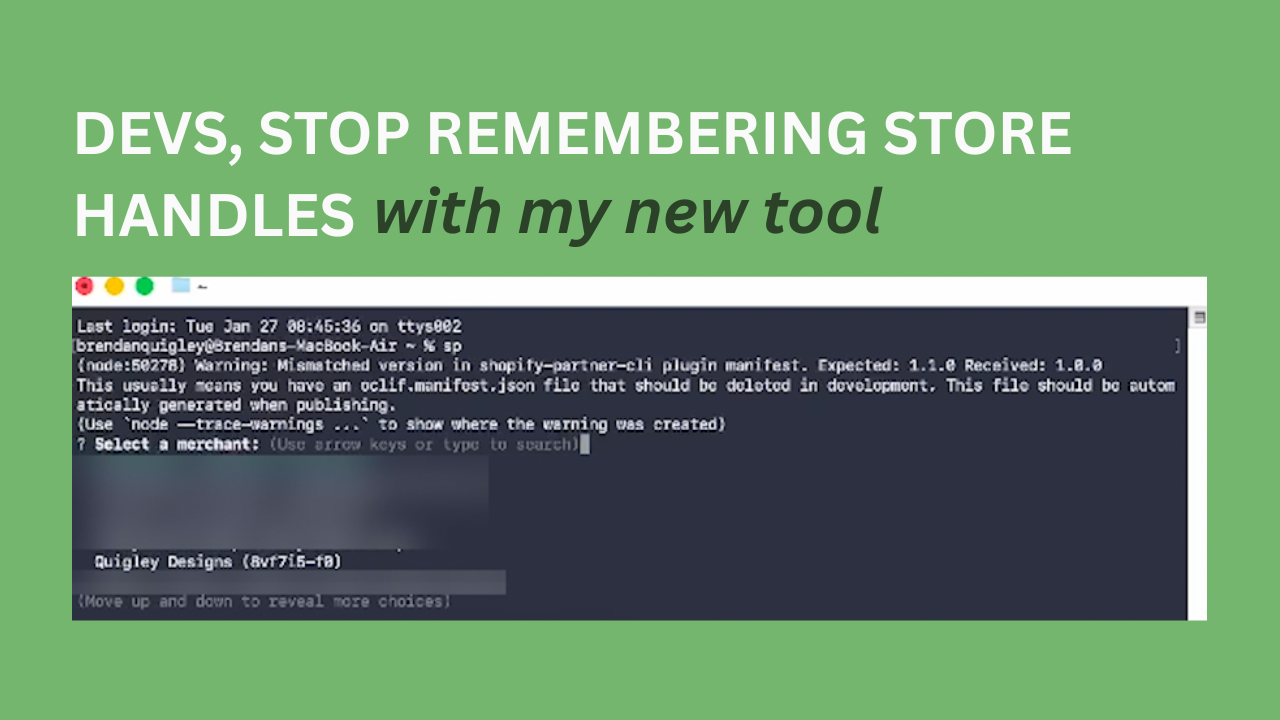
If you’ve ever worked on more than a handful of Shopify stores, you’ve probably run into a surprisingly frustrating problem: remembering store handles.
At first, it’s manageable. You might have one or two stores committed to memory. But once you’re working across five, ten, or twenty merchants, things start to fall apart. Some stores launched with random handles. Others changed their public URL years ago but still rely on the original handle behind the scenes. Suddenly, every time you want to run a Shopify CLI command, you’re opening the Partner Dashboard just to look something up.
In the video that accompanies this post, I walk through a small CLI tool I built to remove that friction entirely. If you’re a Shopify partner, developer, or technical lead working across multiple stores, it’s the kind of improvement that quietly saves time every single day.
The Real Friction Isn’t the Shopify CLI
Shopify’s CLI works well. The problem is everything that happens before you can actually use it.
When you run a command like shopify theme pull, Shopify expects you to already know the store handle. In practice, that means context switching. You leave your terminal, log into the Partner Portal, click into the store, double-check the handle, then head back to your code.
That interruption breaks focus, especially when you’re in the middle of development work or bouncing between stores.
A Local Source of Truth for Store Handles
The tool I show in the video is designed to solve one specific problem: selecting the right Shopify store quickly and confidently.
Instead of relying on memory, it stores merchant names and store handles locally in a simple JSON file on your computer. Once that’s set up, you can access everything directly from the command line.
With a short command, you can:
- List all of your merchants
- Fuzzy search by name, even if you don’t spell it perfectly
- Select the correct store without leaving your terminal
From there, the tool gives you quick access to common Shopify CLI commands, all using the correct store handle automatically.
It doesn’t replace Shopify’s CLI. It complements it by removing the friction that slows you down before real work even begins.
Moving Between Local Code and Unpublished Themes
One of the most useful workflows covered in the video is syncing changes between local development and unpublished themes.
If you’ve ever pushed code to an unpublished theme, made edits in the theme editor, and then gone back to local development, you’ve probably hit sync issues. Pulling the entire theme back down can overwrite local changes you didn’t mean to lose.
The workaround is simple and effective: pull only the JSON files.
By pulling just the JSON, you sync customizer changes without touching your local code. It prevents accidental overwrites and keeps your development process clean. Once you build the habit, it becomes second nature.
Why This Matters for Growing Teams
It helps:
- Reduce errors caused by selecting the wrong store
- Save time during repetitive tasks
- Keep development work predictable and safe
- Lower the mental overhead of managing multiple environments
The less time you spend fighting your tools, the more time you can spend improving the store itself.
Download the Shopify Partner CLI
If you want to try the tool yourself, it’s available on GitHub and designed to be lightweight and easy to install.
You can find it here:
👉 https://github.com/ThreeAcresAgency/shopify-partner-cli